How to setup your own Simplex Directory
For a long time the SimpleX team had the monopoly on deciding which groups could have official visibility and which groups didn't, due to them having the single most popular simplex directory out there. Starting from today this changes, given that the Nowhere community has finally found out how to host SimpleX directories, we started doing that ourselves and we're now also teaching other simplex communities how to run their own SimpleX directories.
In other words, we're accelerating the decentralisation of SimpleX up a notch, There should not be a monopoly on SimpleX Directories, we believe that anyone should be able to host one, to promote the groups their community wants to list, with their own set of rules.
This repository is there to help you setup a simplex directory from scratch, it enables you to essentially list simplex groups that your community creates, you can either approve or reject them, you can also appoint other trusted members of your community to do the same as admins.
How to setup your own simplex directory
$ git config --global http.proxy socks5h://localhost:9050
$ git config --global https.proxy socks5h://localhost:9050
$ git clone http://gdatura24gtdy23lxd7ht3xzx6mi7mdlkabpvuefhrjn4t5jduviw5ad.onion/Nowhere/simplex-directory
$ cd simplex-directory
$ cp env-sample .env
$ vim .env
- the
SIMPLEX_SERVICE_NAMEneeds to be changed to whatever you want, i recommend the following format:<community name> Directoryto make it easy to remember - the
DIRECTORY_POSTGRES_PASSWORDneeds to be changed to another password - the
SIMPLEX_SMP_SERVERSvalue needs to be changed to SMP server that you run, setup your own by following this tutorial - the
SIMPLEX_XFTP_SERVERSvalue also needs to be changed to a XFTP server that you run, setup your own by following this tutorial - the
SIMPLEX_SUPER_USERSvalue also needs to be changed but only after the bot is setup initially, so you can leave it as it currently is with a dummy value
$ mkdir -p tor-data/torrc
$ vim tor-data/torrc/torrc
$ cat tor-data/torrc/torrc
SOCKSPort 0.0.0.0:9050

$ chown -R 100:65533 tor-data/
$ chmod 700 -R tor-data

$ sudo docker compose up
then wait for it to complete and once its running go get the simplex invite link manually:
[...]

tor-directory        | Jul 05 18:44:35.000 [notice] Bootstrapped 95% (circuit_create): Establishing a Tor circuit
tor-directory        | Jul 05 18:44:35.000 [notice] Bootstrapped 100% (done): Done
simplex-directory-1  | [INFO] Starting SimpleX Directory Service...
simplex-directory-1  | [INFO] SimpleX Directory Service Configuration:
simplex-directory-1  | [INFO]   Super Users: 1:Nihilist,2:Noone
simplex-directory-1  | [INFO]   Service Name: Nowhere Directory
simplex-directory-1  | [INFO]   Log Level: important
simplex-directory-1  | [INFO]   SMP Servers: smp://9u8jZd9XK7B_jSBYgA3Dz1r1AMxAPgdgnwdHMO_v2FA=@dghh7wjyjrectfblqnyuy4mbshrybvlvnc5d5if5uyaceogtiiq5fnyd.onion:5223
simplex-directory-1  | [INFO]   XFTP Servers: xftp://rhAy7k67PzsD0G5ZBW7GsHphhg-hVLhck0kYbowX8uY=@p7xawauvylt6eznc7fu7iblhwgtajxad7yzyps7nvekqzhirqxl4z3ad.onion:5333
simplex-directory-1  | [INFO]   Running as: uid=1001(simplexdir) gid=1001(simplexdir) groups=1001(simplexdir)
simplex-directory-1  | [INFO] Starting service with arguments: --super-users 4:Nihilist,5:Noone --server smp://9u8jZd9XK7B_jSBYgA3Dz1r1AMxAPgdgnwdHMO_v2FA=:P0szword12318pfyefs23123@dghh7wjyjrectfblqnyuy4mbshrybvlvnc5d5if5uyaceogtiiq5fnyd.onion:5223 --xftp-server xftp://rhAy7k67PzsD0G5ZBW7GsHphhg-hVLhck0kYbowX8uY=@p7xawauvylt6eznc7fu7iblhwgtajxad7yzyps7nvekqzhirqxl4z3ad.onion:533
3 --blocked-words-file /data/filters/blocked-words-sfw.txt --blocked-fragments-file /data/filters/blocked-fragments.txt --blocked-extenstion-rules /data/filters/word-variants.hs --name-spelling-file /data/filters/spelling.hs --profile-name-limit 64 --captcha-generator /usr/local/bin/captcha-generator --service-name Nowhere Directory --log-level important --yes-migrate --socks-proxy 10.161.0.3:9050 --socks-mode always
simplex-directory-1  | [INFO] SimpleX Directory Service started with PID: 9
then go get the simplex directory bot invite link manually by doing the following:
$ docker compose exec directory-service-db \
    psql -U directory_service -d directory_service -tAc \
    "SELECT convert_from(conn_req_contact, 'UTF8') FROM simplex_v1_chat_schema.user_contact_links LIMIT 1;"

simplex:/contact#/?v=2-7&smp=smp%3A%2F%2F9u8jZd9XK7B_jSBYgA3Dz1r1AMxAPgdgnwdHMO_v2FA%3D%40dghh7wjyjrectfblqnyuy4mbshrybvlvnc5d5if5uyaceogtiiq5fnyd.onion%3A5223%2Fc3jtPOl8Lon7D1z7AUZ71wJJ36evLAm0%23%2F%3Fv%3D1-4%26dh%3DMCowBQYDK2VuAyEA1HAz5TxmvrpNWZwk3hVx0xc7DATu18wrXtw1MtUn-XU%253D%26q%3Dc
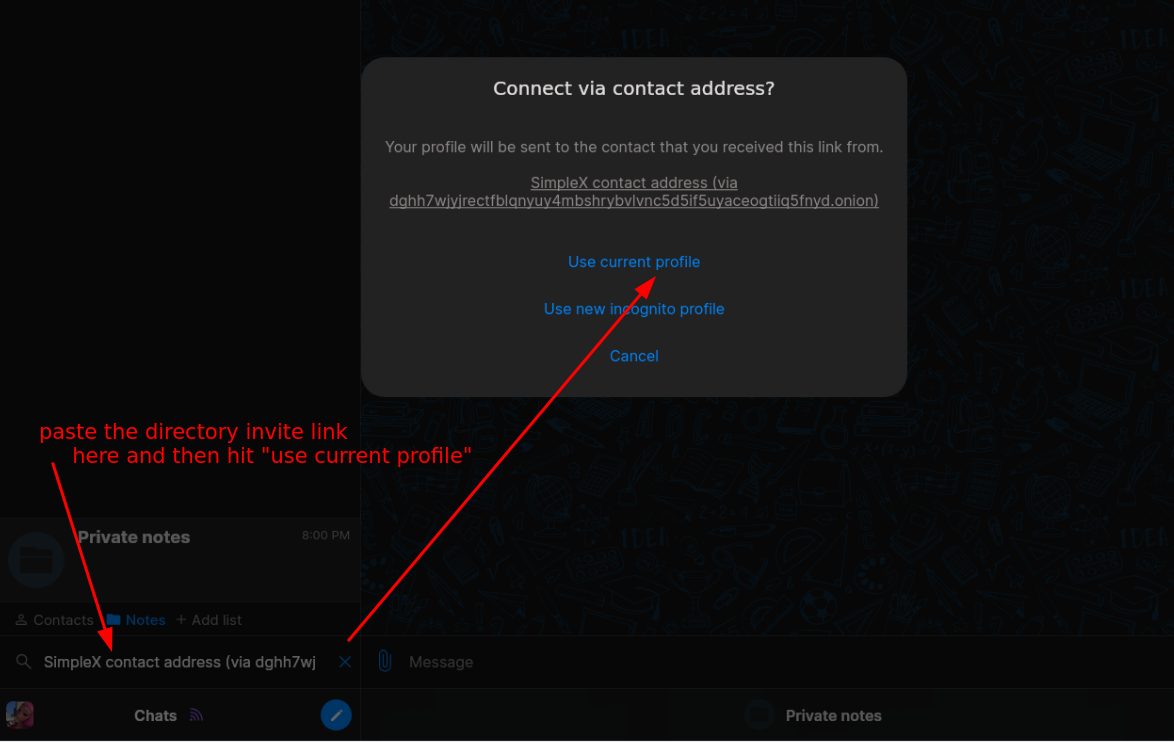
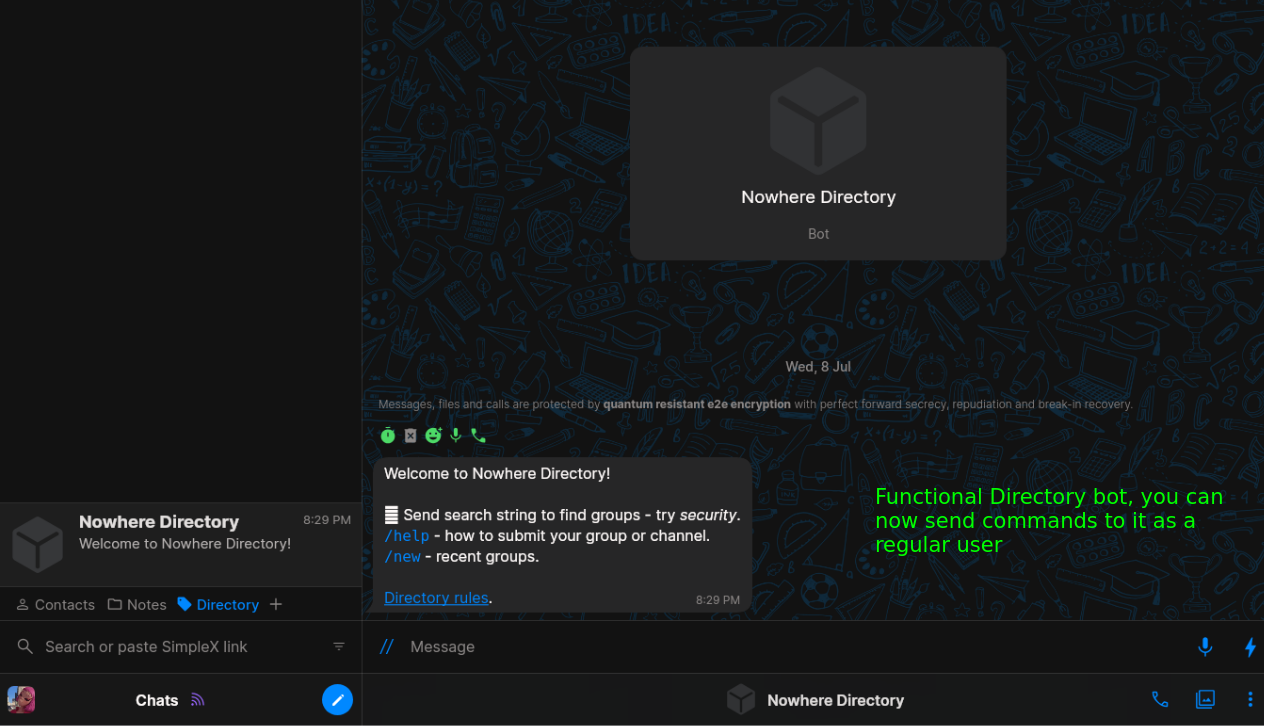
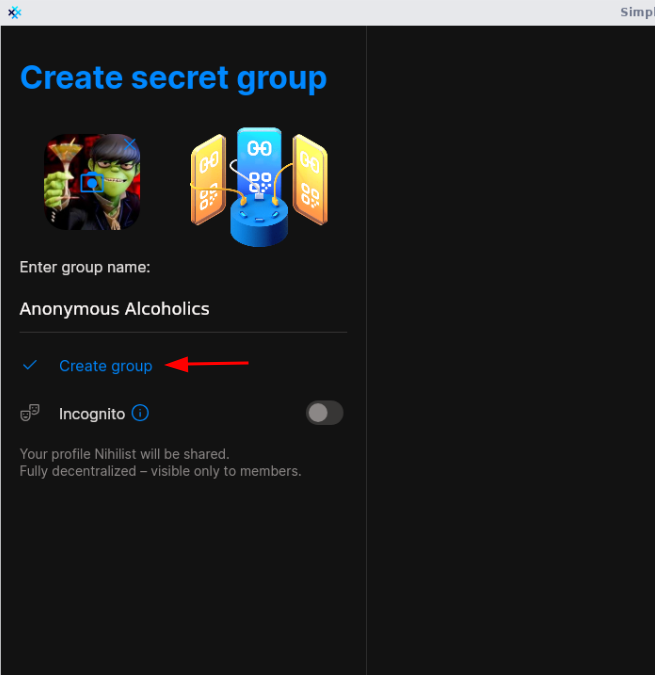
From there the Bot is functional and ready to be used from the users' perspective, they can create simplex chatrooms like this one for example:
Then don't forget to add a welcome message:
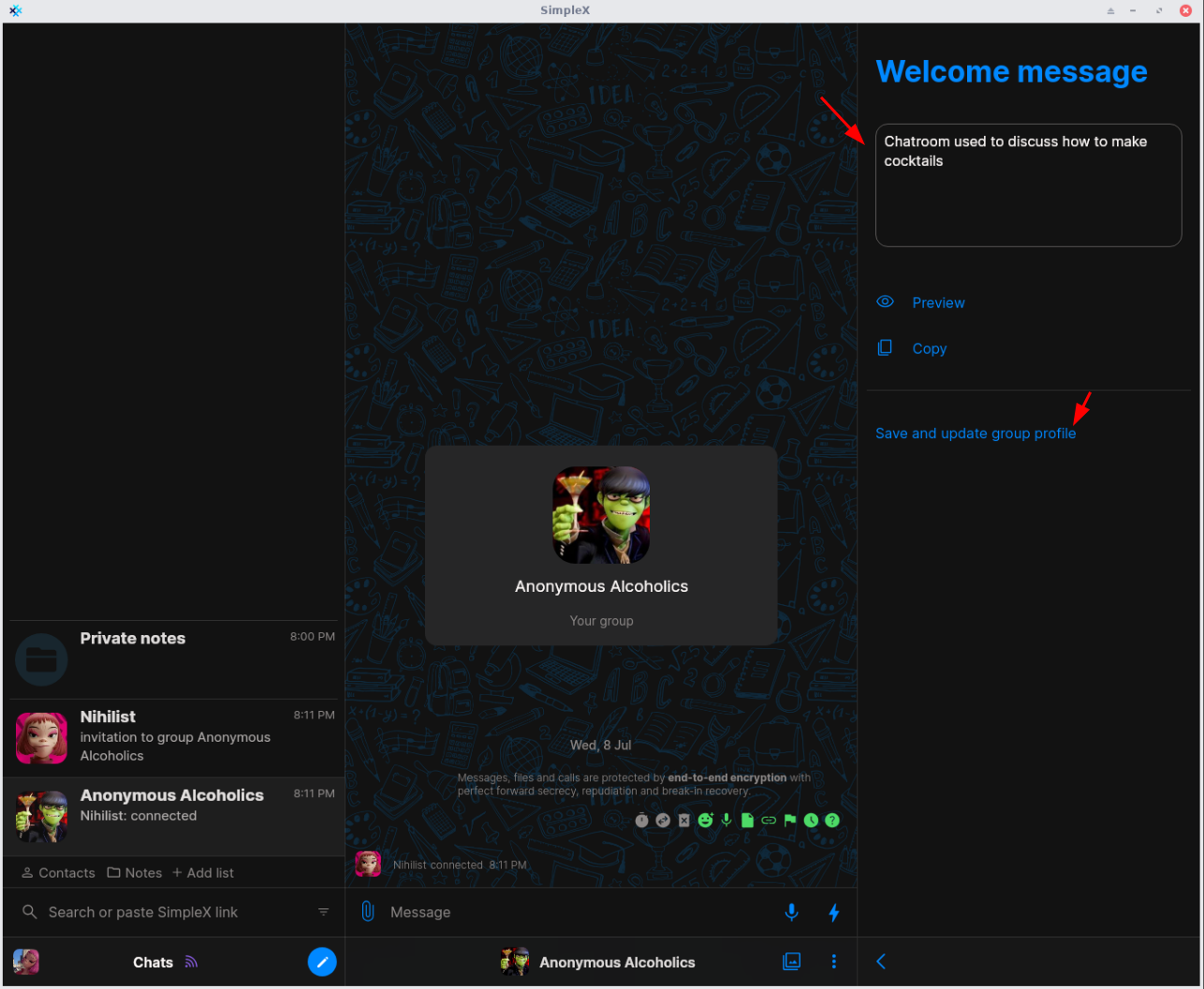
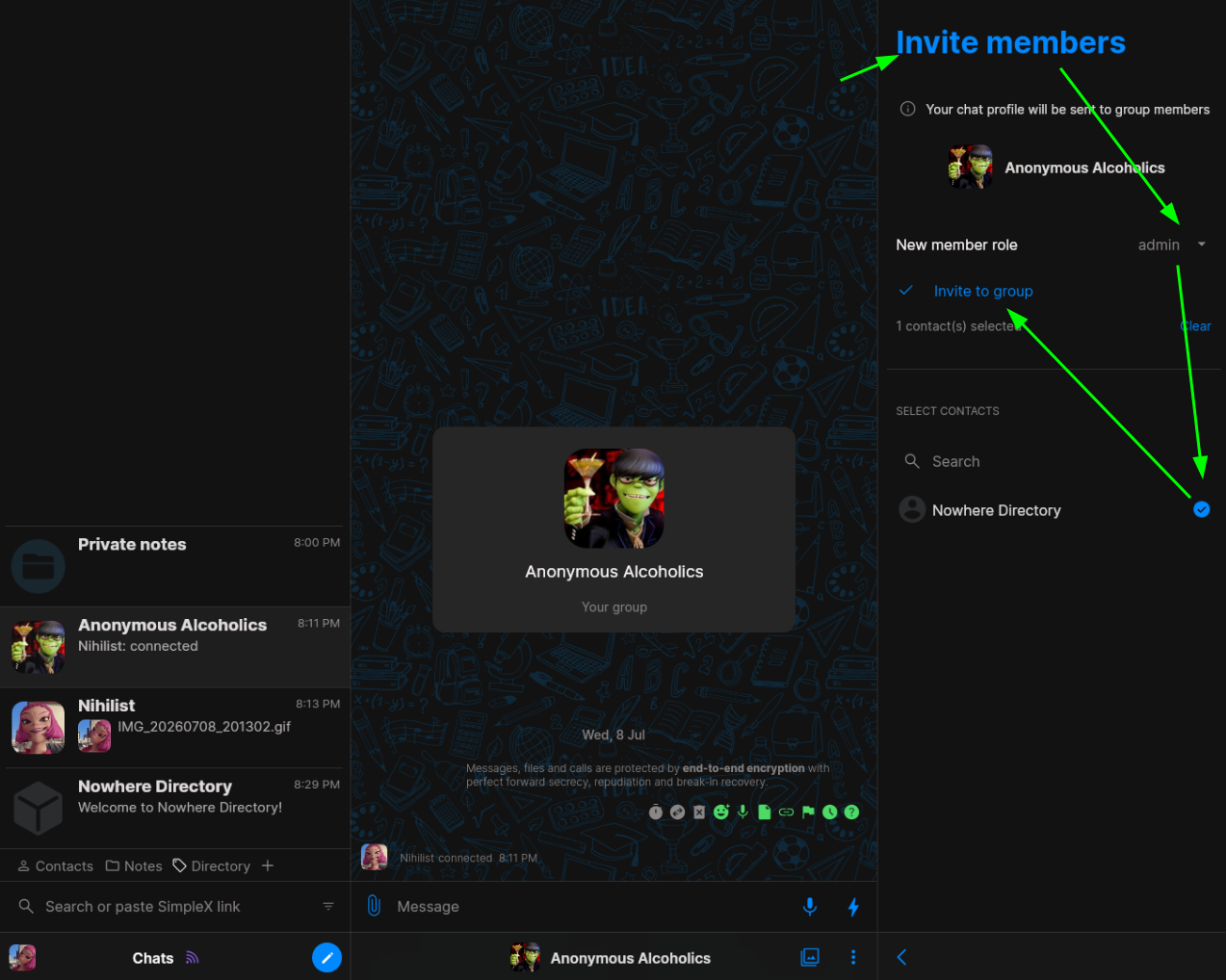
Then invite the simplex directory as an admin into your public chatroom:
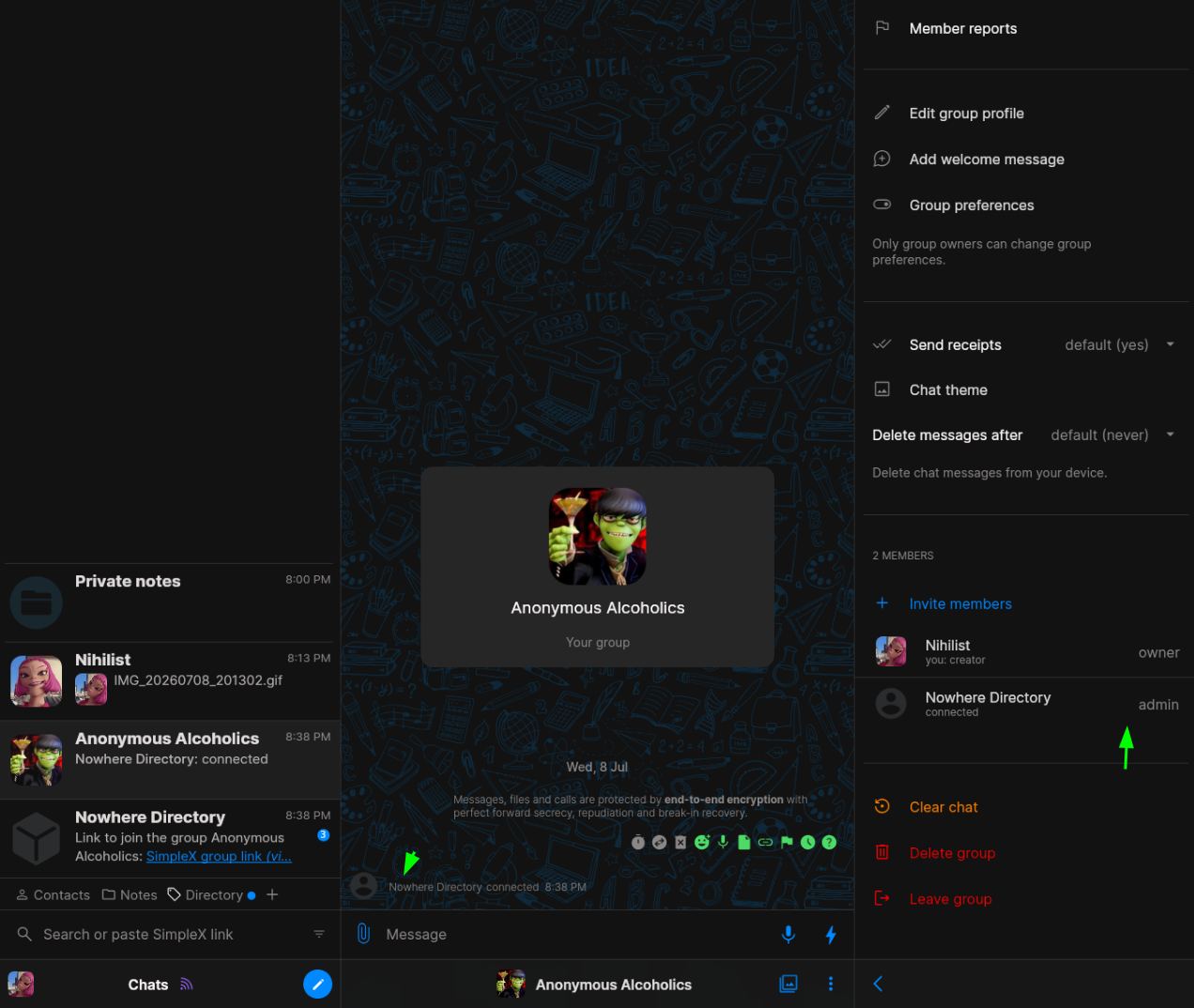
Then the simplex directory joins the chatroom:
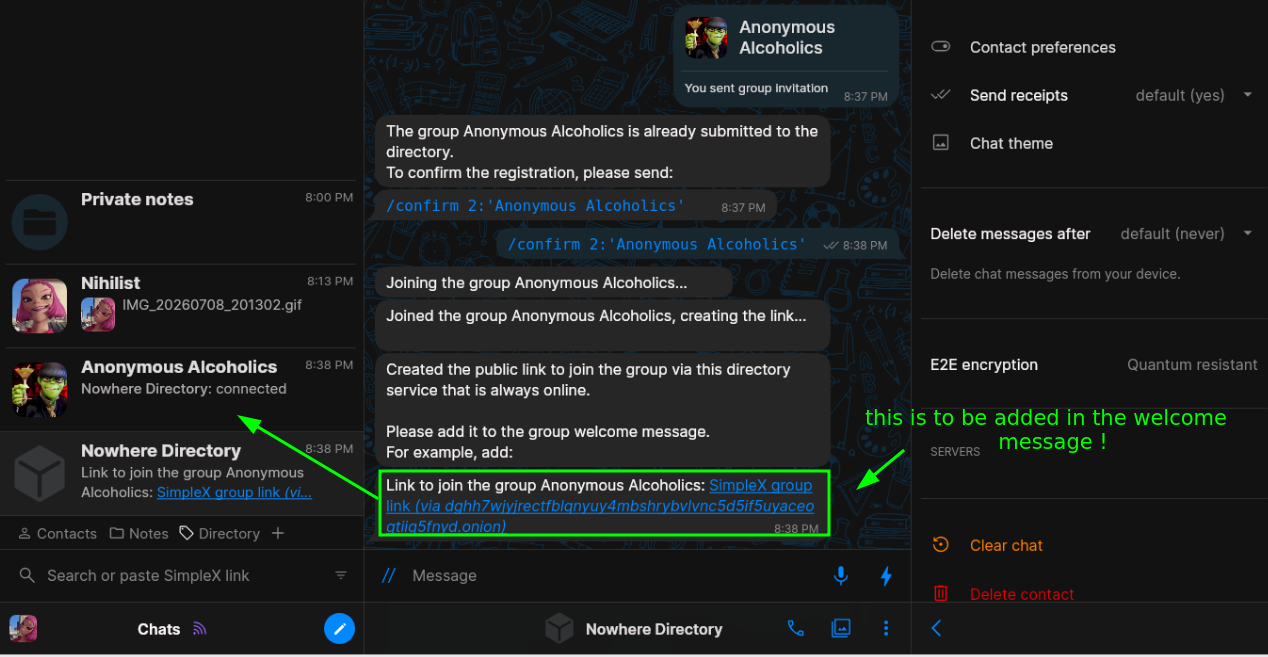
And once joined it'll tell you to add the simplex invite link it just created to the chatroom in the welcome message:
so you do it:
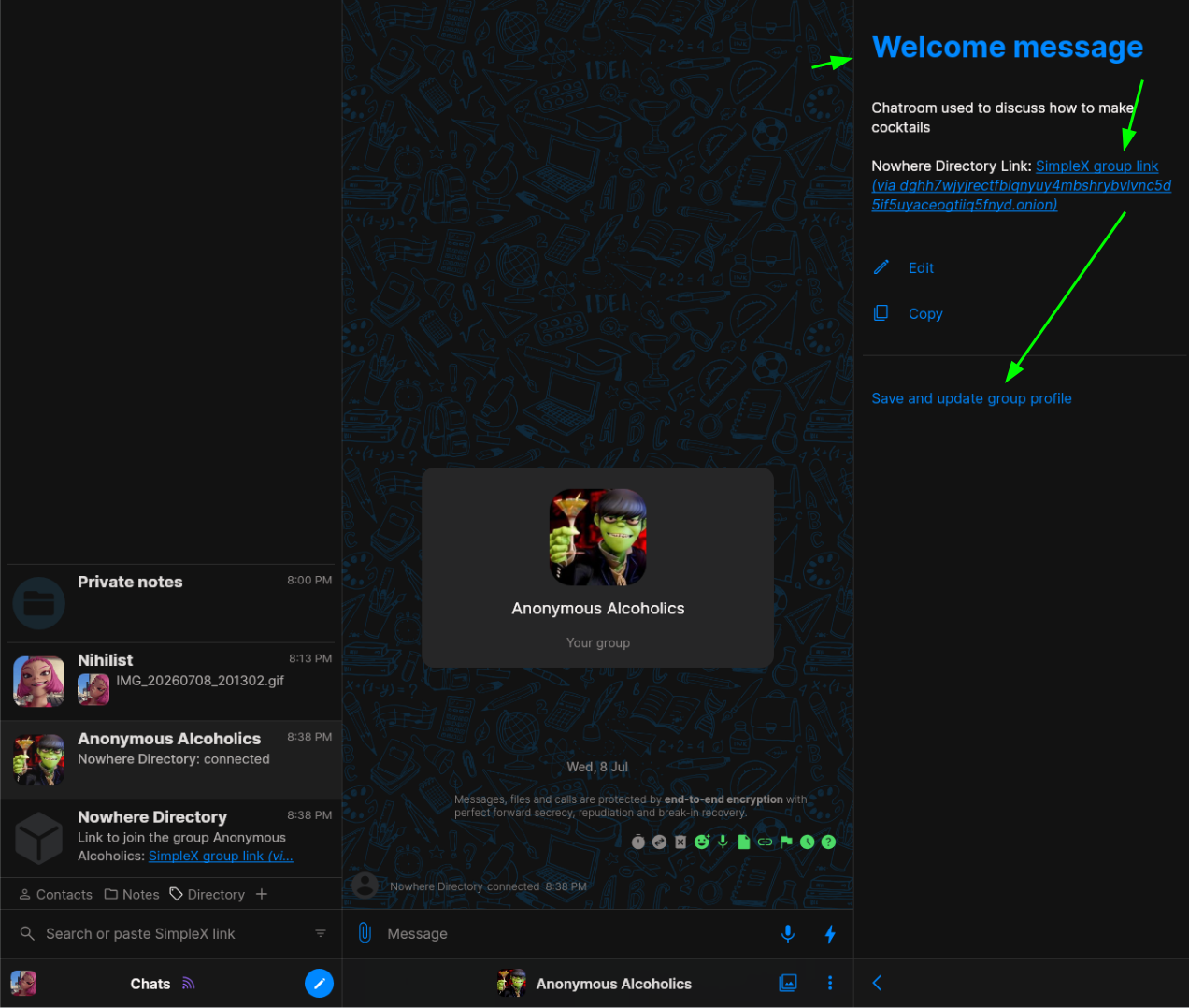
and once that's done, the simplex directory bot detects that you just did it and now the group needs to be approved by a directory admin:
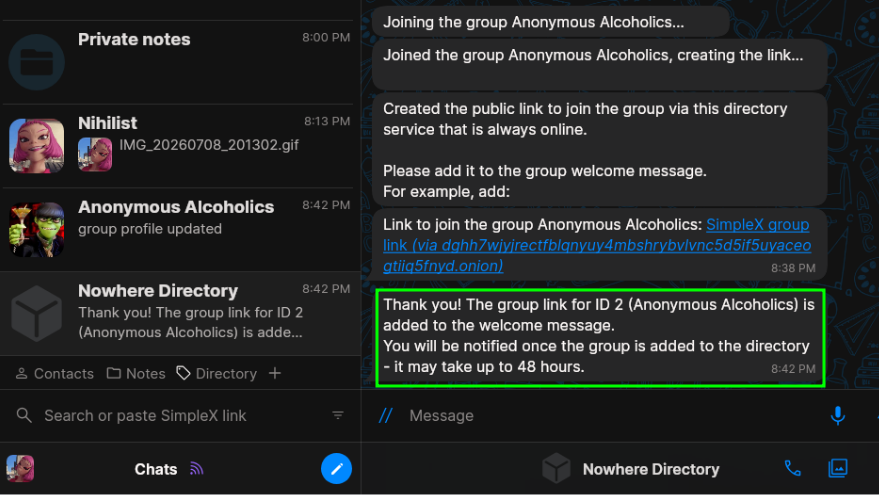
then you need to ensure you're added as a superadmin, to do so you need the contactID from the simplex bot:
$ docker compose exec directory-service-db \
    psql -U directory_service -d directory_service -c \
    "SELECT contact_id, local_display_name FROM simplex_v1_chat_schema.contacts ORDER BY contact_id;"
 contact_id | local_display_name
-------------+--------------------
          1  | Nowhere Directory
          2  | SimpleX Status
          3  | Ask SimpleX Team
          4  | Nihilist
          [...]
          57 | Nihilist_1
$ cat .env | grep SUPER
SIMPLEX_SUPER_USERS="4:Nihilist,57:Nihilist_1"
And before we recreate the simplex-directory container we can also ensure that the "simplex owners chatroom" is created, (which is a chatroom where the chatroom owners whose chatrooms got approved automatically get invited to). To do that simply create the chatroom, for example i named it "Directories Doomsday Bunker":
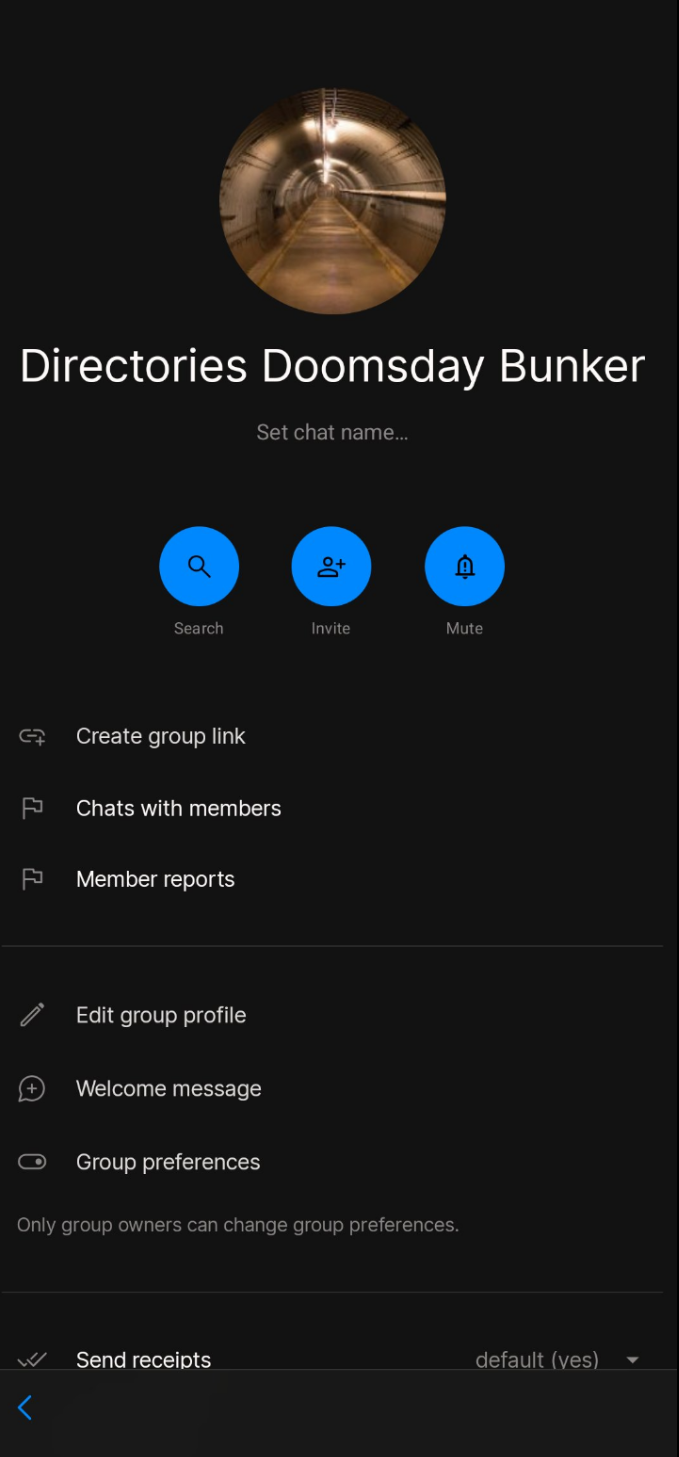
i invited all my community staff in there as admins, along with the simplex directory bot:
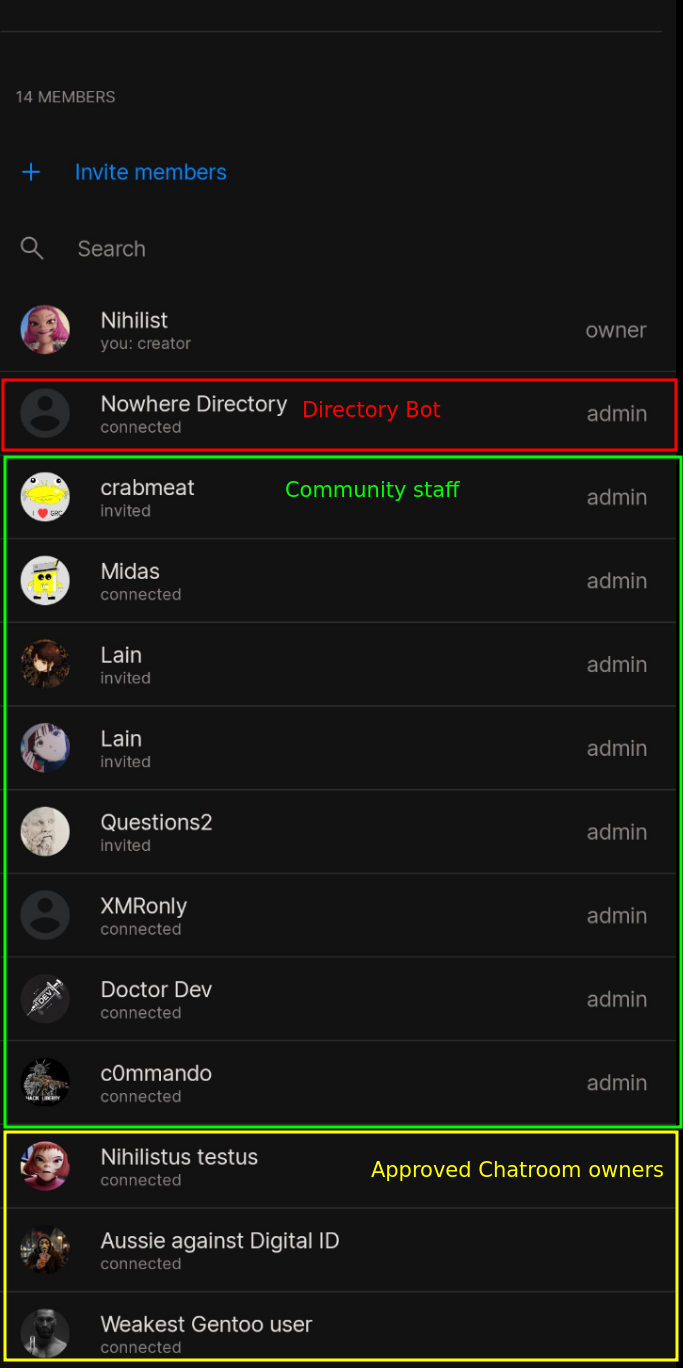
then upon joining the simplex bot can be instructed to invite the chatroom owners to it like by finding the group ID for the group by doing the following:
$ docker compose exec directory-service-db \
    psql -U directory_service -d directory_service -c \
    "SELECT group_id, local_display_name FROM simplex_v1_chat_schema.groups ORDER BY group_id;"

 group_id |              local_display_name
----------+-----------------------------------------------
        1 | The OPSEC Bible
        2 | Datura Network Project
        3 | Agorism & Anarchy
        4 | Darknet Lantern (Onion + SimpleX Exploration)
        5 | Sysadmin, Hacking, and Programming
        6 | Productivity & Health
        7 | Psychedelia (Trips, Art, Music)
        8 | Nowhere General
        9 | Sysadmin, Hacking, and Programming_1
       10 | Directories Doomsday Bunker
(10 rows)
so the correct value for the simplex group owners is as follows:
$ vim .env
$ cat .env | grep OWNERS_GROUP

SIMPLEX_OWNERS_GROUP=10:'Directories Doomsday Bunker'
Then you can recreate the simplex-directory container with the updated .env file:
$ docker compose up -d --force-recreate
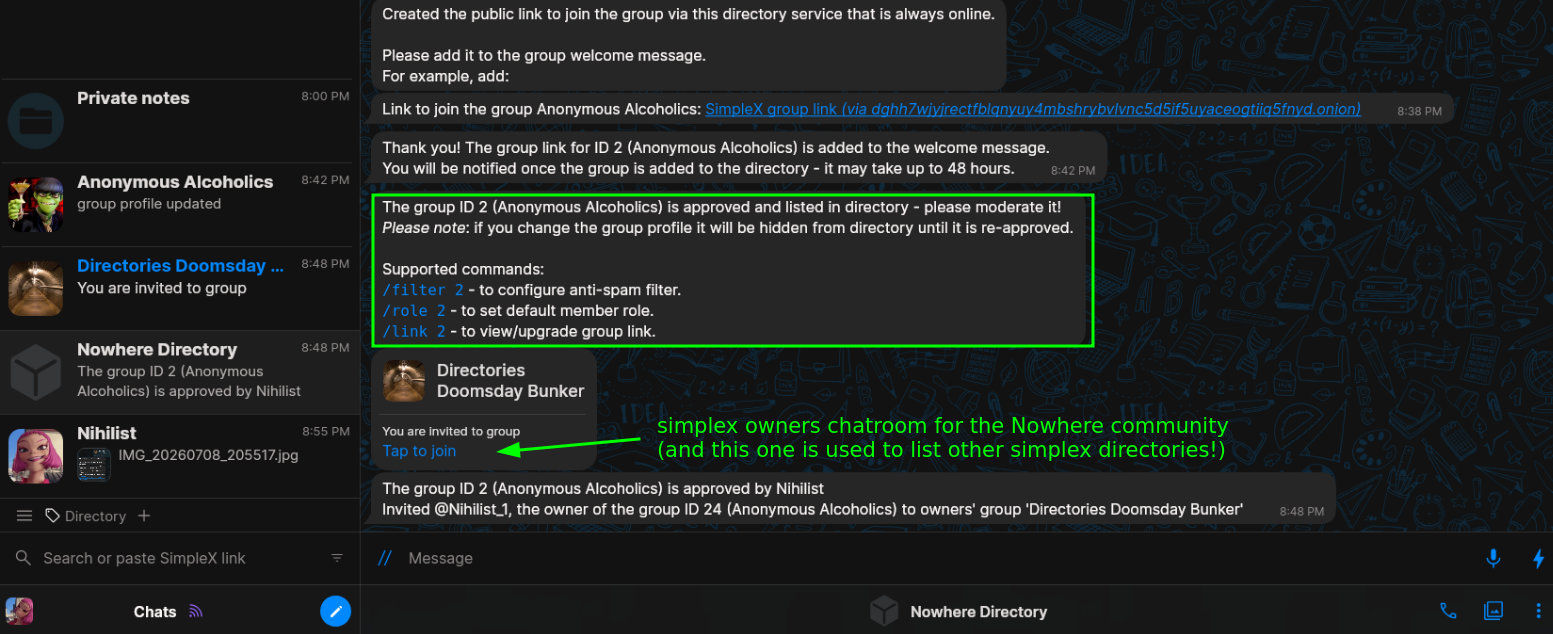
Then to approve a new chatroom you just need to type what the directory bot asks you to type for example:
/approve 2: `Datura Network Project` 1
From the Directory's admin perspective it looks like so:
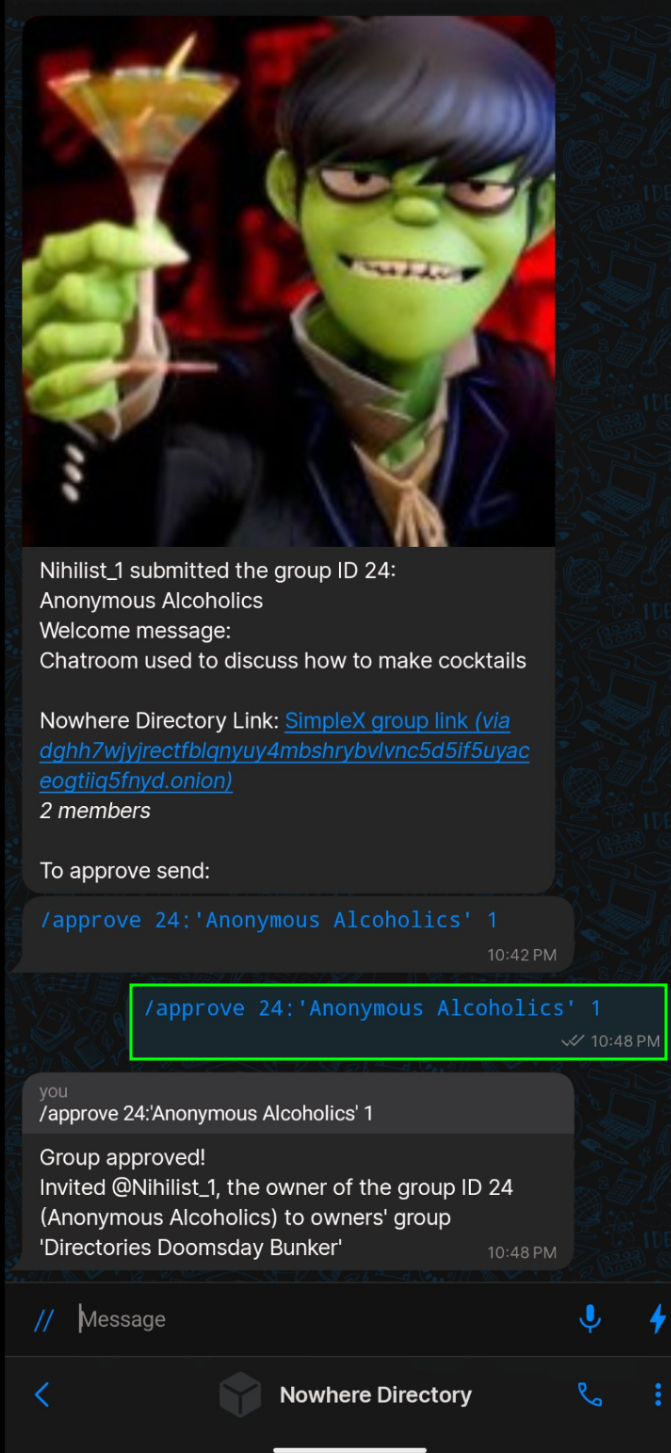
And from the users' perspective it will appear like so:
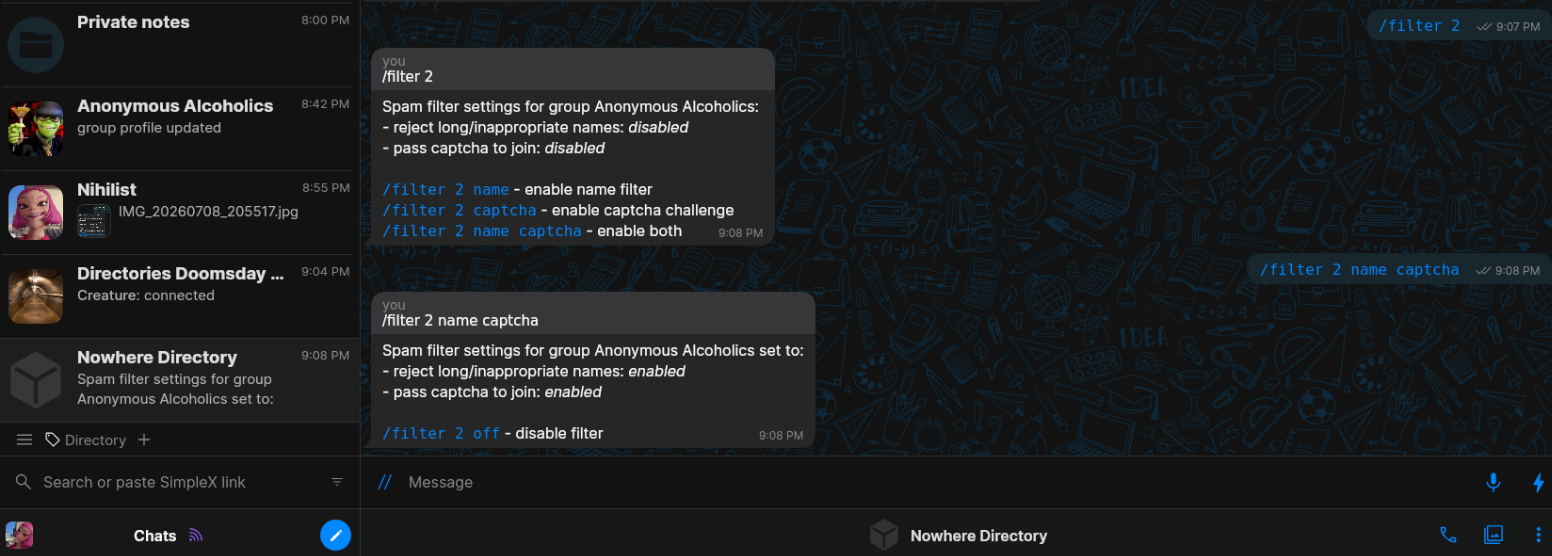
then you can setup anti spam filters like so (captcha stands for the captcha challenge that people need to fill in to be accepted, and the 'name' value stands for rejecting members with inappropriate names):
# from a users' POV:
/filter 2
/filter 2 name captcha

# from an admin's POV:
/filter 2:'Anonymous Alcoholics'
/filter 2:'Anonymous Alcoholics' name captcha
Here's an example of someone that wants to join your public chatroom after you enable the captcha filter:
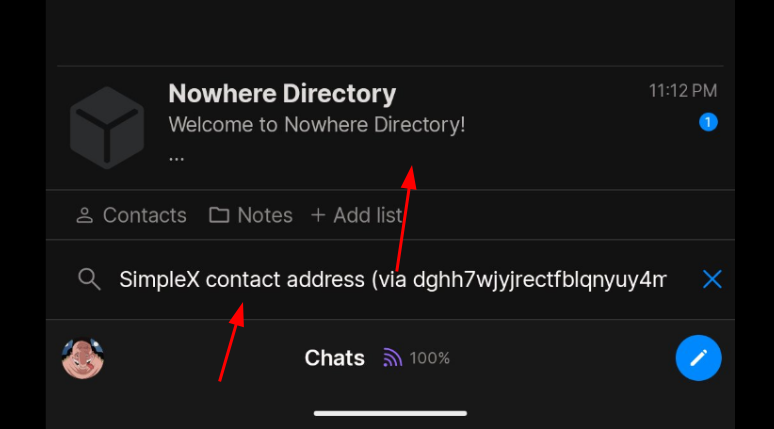
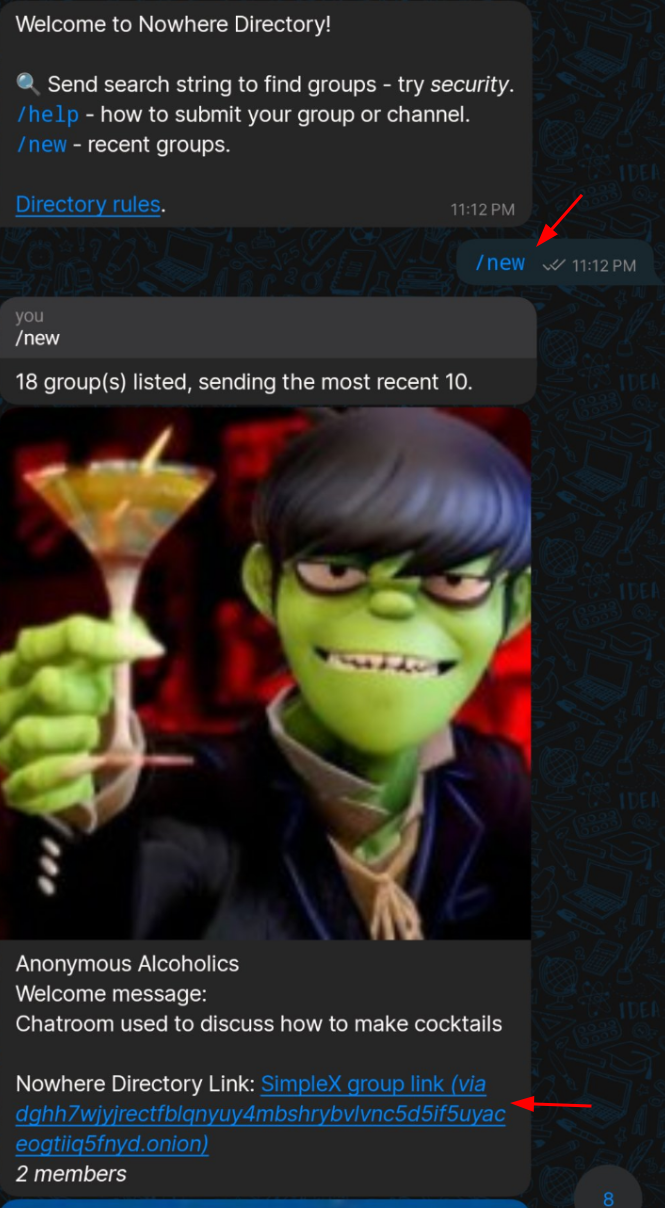
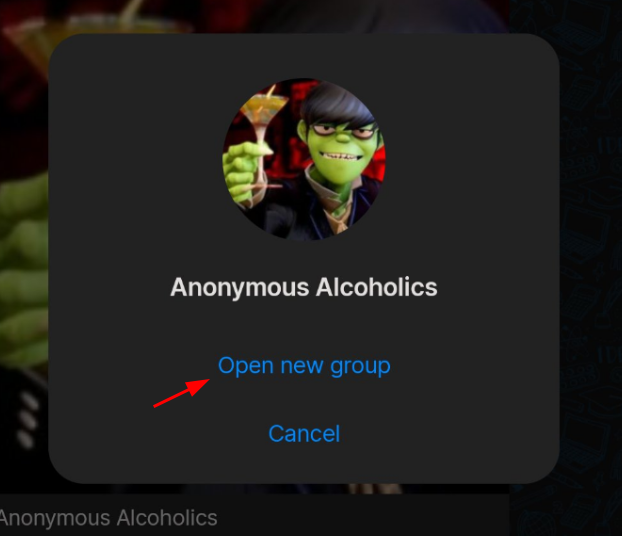
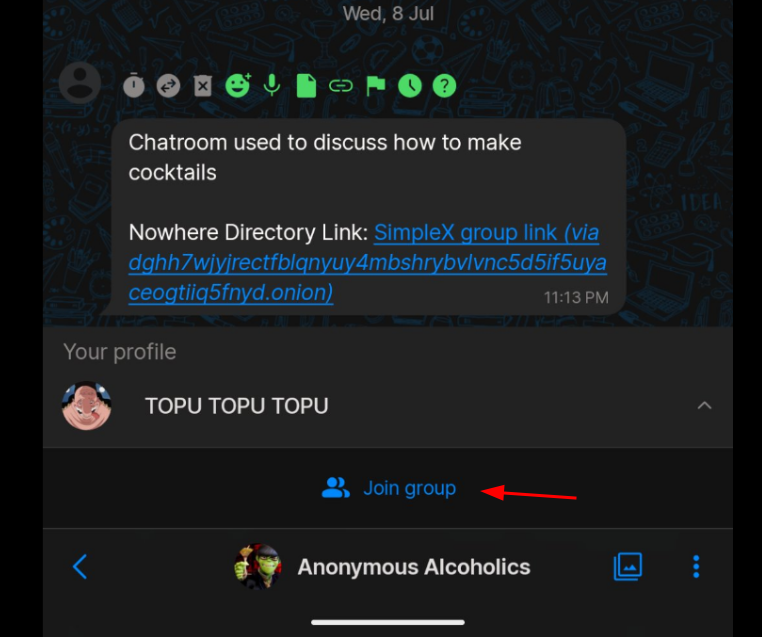
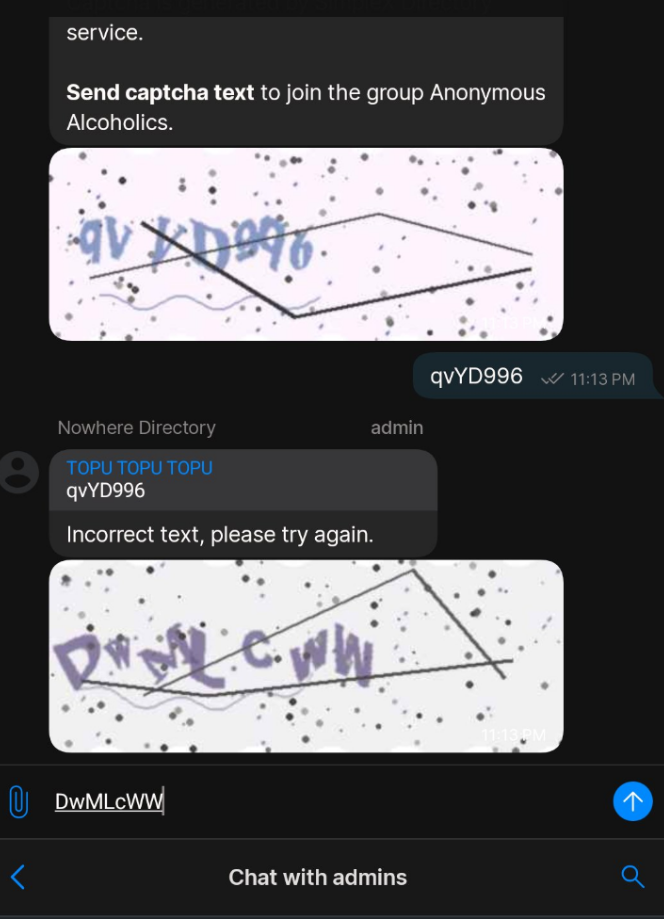
And here as you can see the captcha filter is functionnal, this should do the trick to stop bots from entering your chatrooms:
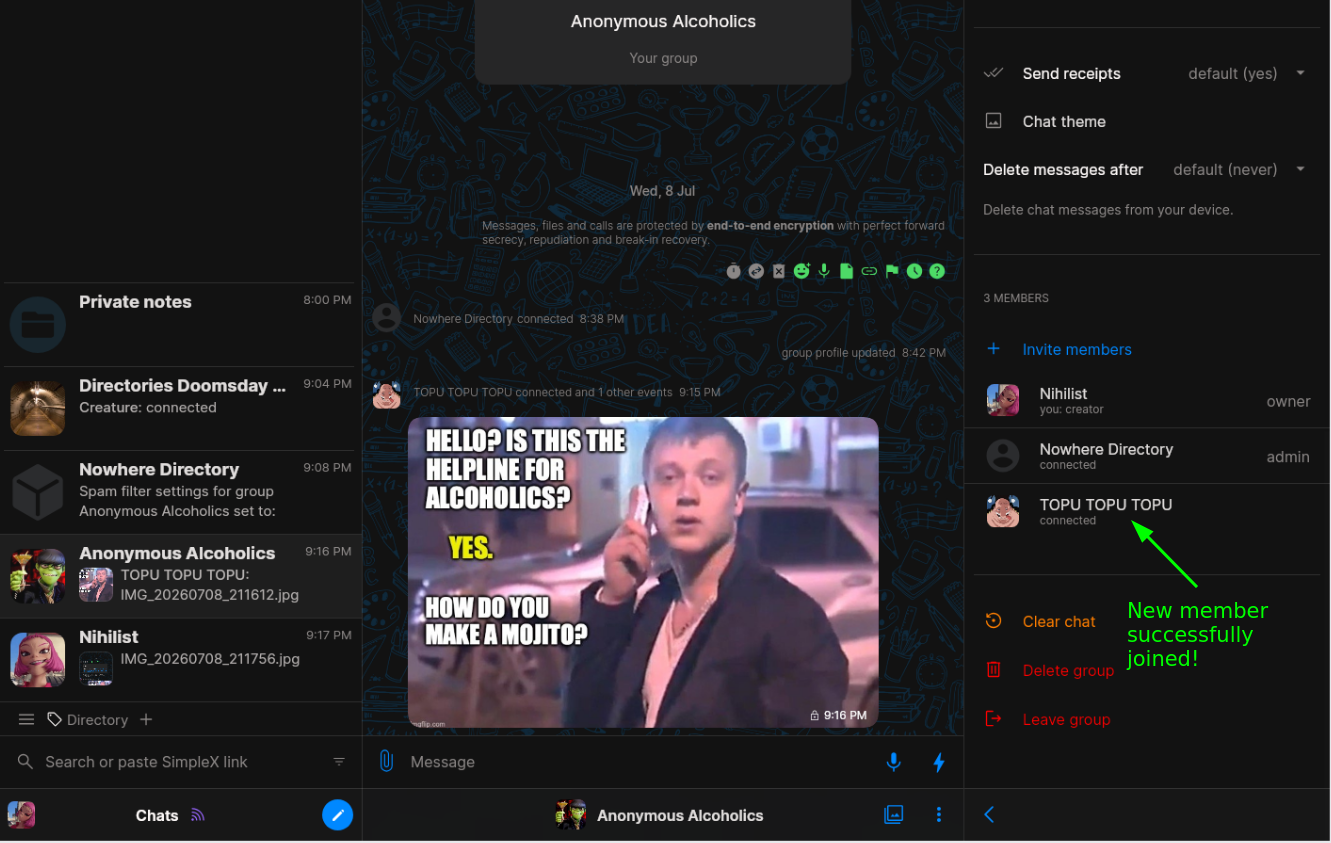
Then after successfully typing the captcha correctly, the user gets approved into the chatroom as wanted.
And that's it ! you now know how to setup your own simplex directory, with your own rules.
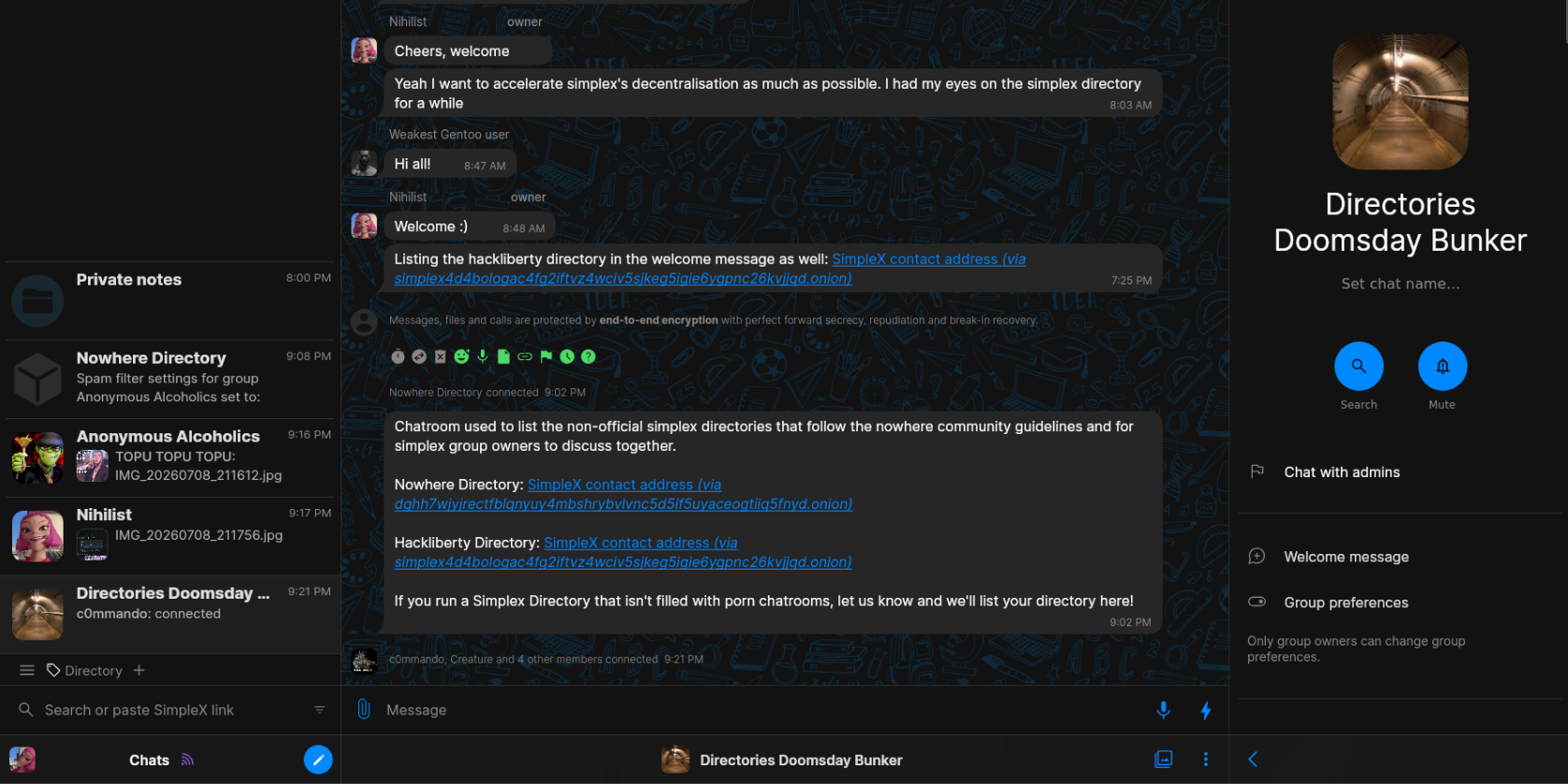
If you're interested in getting your simplex directory listed in our 'Directories Doomsday Bunker' Chatroom, just set one up, and let us know in that chatroom, and we're going to list the link to your simplex directory in the welcome message to help users discover more chatrooms! (as long as those directories follow our own community rules)
 Suggest changes
 Nihilist
 2026-07-08
 Donate XMR to the author:
8C1MNeB4KEHGApg6sPxFPn3NWERD3mPv7AjC8mCm1CJCXjoKnf36SYBdZ6ywCMdZRC4cxu7Uax3tufDqMXS2mLvHNCJzQZS