JavaScript - The Dangers and Limits of Fingerprinting
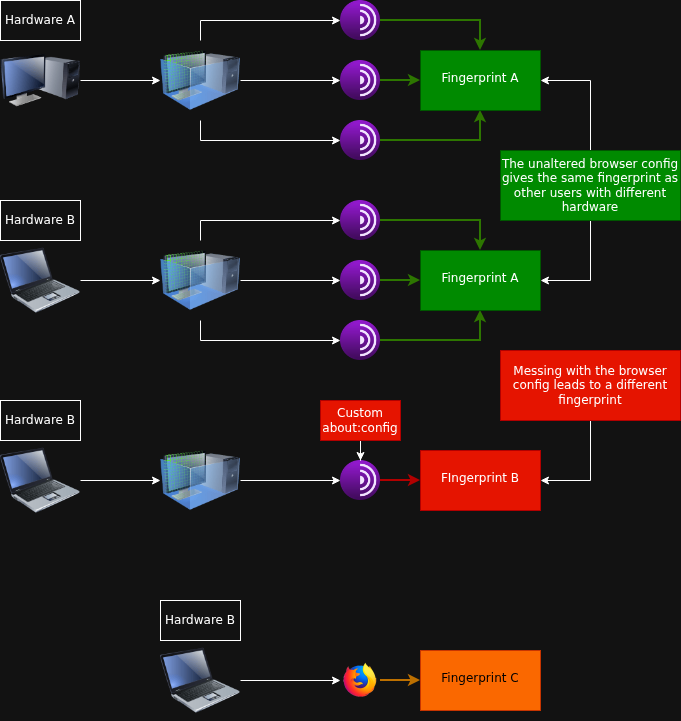
TLDR: That's why we recommend segmenting your internet activity at the identity level by assigning each identity its own virtual machine instead of consolidating multiple identities within a single VM. This isolation guarantees that, if JavaScript lead to fingerprinting, only the single identity that resides in that VM can be correlated. Additionally, an unmodified browser configuration yields the same fingerprint as other users on different hardware, whereas any intentional alterations to the browser settings produce a distinct fingerprint.
Introduction
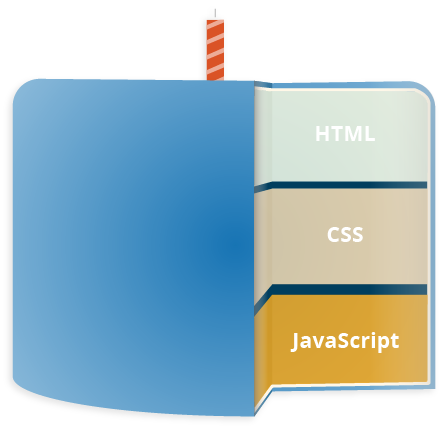
But first, what exactly is JavaScript? According to Wikipedia JavaScript (JS) is a programming language and core technology of the Web, alongside HTML and CSS. It was created by Brendan Eich in 1995. As of 2025, the overwhelming majority of websites (98.9%) uses JavaScript for client side webpage behavior.
Essentially, it is a programming language that browsers and servers use, both client-side and server-side. JavaScript throughout it's history has been adopted by big tech corporations. Created at Netscape 1993, adopted by Microsoft in 1995 shortly after the official release, then Google. Google currently owns the V8 JavaScript engine The Tor Browser is running on. If you want to know more about what Microsoft did with JavaScript read this article as it is out of scope for this article.

JavaScript is not necessarily evil incarnate, it is the third layer of the standard web. JavaScript itself is not inherently "bad," but it is a primary vector for tracking and identifying Tor users. Understanding this distinction is essential because the threat comes not from JavaScript executing code, but from what JavaScript reveals about your device when it communicates with servers.
"JavaScript is bad!" Is JavaScript bad?
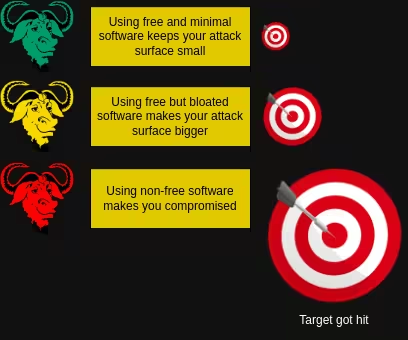
The title is a phrase very often told with vague explanation as to why, JavaScript is bad. As previously explained by Wikipedia, JavaScript is a programming language. It will help to think of it this way; JavaScript is a package you can enable/disable in The Tor Browser (client-side), the more code you add to The Tor Browser, the bigger the attack surface gets.
Does this mean you will get deanonymized when you turn on JavaScript?
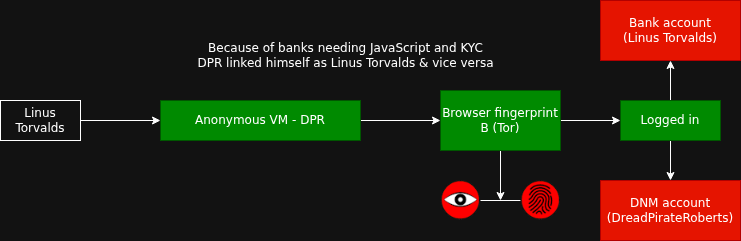
No, but it can if your activities are linked. Linkability is the ability to link two or more profiles, identities, or pieces of data. For example, imagine you are logged in your Bank account and you are logged in on dread; you believe you are browsing dread anonymously, and believe nobody can trace the sites you are on back to you, or to each other. In reality, the advertisers and government agencies have linked you to both of them by using your browser fingerprint to follow you across the web.
Why JavaScript poses a specific threat to Tor anonymity
JavaScript can collect details about your browser, operating system, screen size, and other unique identifiers. These can be used to create a digital fingerprint that can identify and track you across different websites, even when you use Tor.
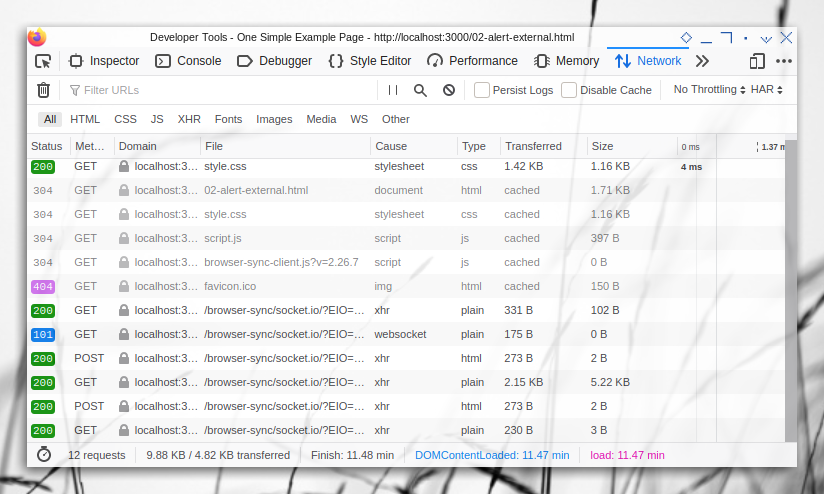
JavaScript runs silently in the background without requiring permission from you, both on the client-side and server-side. When a website loads JavaScript code, that code can gather detailed information about your browser, operating system, installed fonts, screen resolution, and device capabilities. This happens automatically you don't have to agree to anything.
Tor's purpose is to make all users look identical to websites. If JavaScript reveals that you're using Linux on a specific screen size with a particular font set, websites can distinguish you from other Tor users even though your IP address is hidden. This collection of identifiable details is called browser fingerprinting.
The Fingerprint Persists
Unlike cookies (which you can delete), a fingerprint is based on your device's characteristics. JavaScript can recreate it every time you visit, linking your sessions across different websites even if you clear your browsing history. For Tor users, this means malicious actors can follow your activity across time and websites despite the anonymity layer Tor provides.
That's fine, I can use Tor's "New Identity" feature.
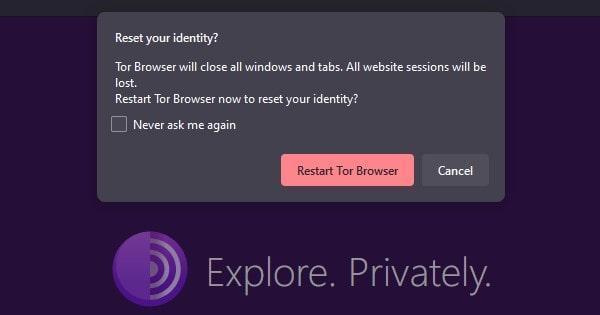
Until recently, that wasn't the case, a user could be tracked across Tor Browser restarts and even across different Tor circuits, defeating Tor's "New Identity" feature that is specifically designed to separate sessions.
What is browser fingerprinting?
Definition: Creating a digital signature of your device
Browser fingerprinting is the systematic collection of information about your browser and device to create a unique identifier. Think of it as a "digital fingerprint" just as your actual fingerprints are unique to you, your browser's combination of characteristics is often unique enough to identify you.
What JavaScript collects for fingerprinting
-
Operating system and version (revealed through the User-Agent string)
-
Screen resolution and color depth
-
Installed fonts (measured using text rendering)
-
Timezone and language settings
-
Browser plugins and their versions
-
Audio and graphics capabilities (WebGL, Canvas)
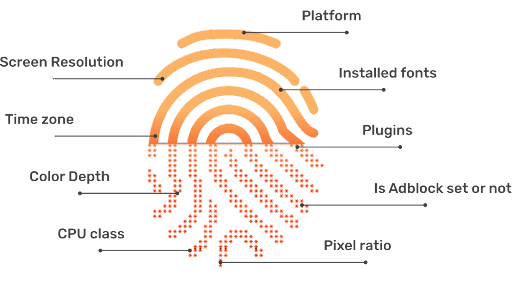
Websites use this data to create a unique profile of your device. If you visit multiple websites, each can independently observe the same fingerprint and link your activity across them.
How JavaScript fingerprinting differs from non-JavaScript fingerprinting methods
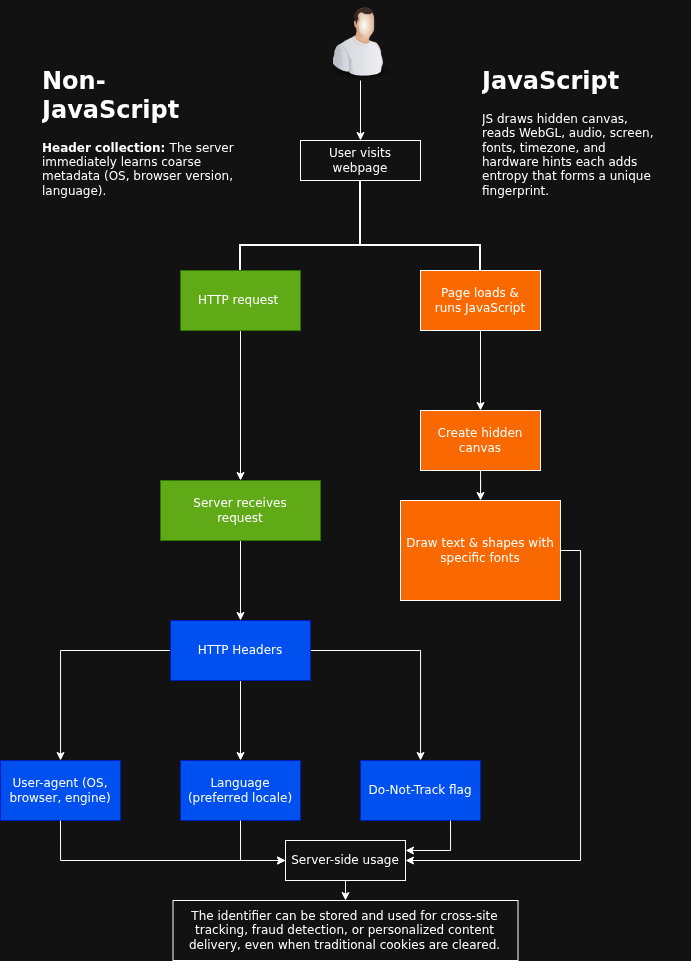
JavaScript-based fingerprinting requires code execution in your browser. Non-JavaScript methods like CSS rendering tests or HTTP header analysis work without JavaScript and are harder to block. However, JavaScript methods are more comprehensive and reveal more information because JavaScript has deeper access to your device's properties.
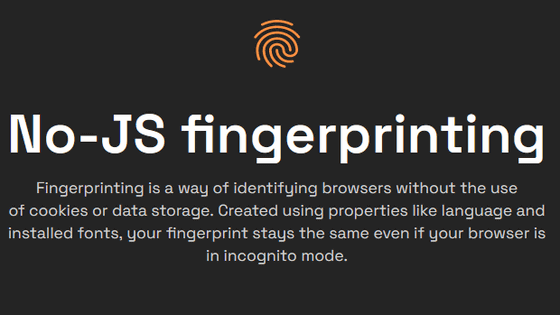
Even with JavaScript disabled, operating system detection remains possible through other means like CSS, which Tor Browser cannot fully block without breaking website functionality. This is why Tor Browser takes a different approach: instead of blocking JavaScript entirely, it limits what unique information JavaScript can extract.
What JavaScript can and can't do in Tor Browser
What JavaScript can do (minimal explanation, deep rabbit hole)

-
Collect device info (Detect OS, fonts, screen size; limited by standardization)
-
Time requests (Measure how long operations take; reduced by Tor's padding and DAITA if you have Mullvad VPN)
-
Create unique identifiers (Build a fingerprint from combined attributes; minimized by grouping users into buckets)
-
Communicate back to servers (Send collected data to tracking servers; still occurs in Tor)
What JavaScript alone cannot do
-
Obtain your real IP address (Tor and Whonix block this at system level)
-
Read files from your hard drive (browser sandboxing prevents this)
-
Execute arbitrary system commands (requires browser vulnerabilities)
-
Decrypt Tor network traffic (encryption prevents this)
JavaScript cannot do these things unless a browser vulnerability exists. History shows that malicious actors have exploited Firefox vulnerabilities to inject code that JavaScript can trigger allowing IP address leakage and system compromise. This requires a specific bug in Firefox that Tor Browser is based on, updates fix these once discovered. The attacks are even better mitigated using live-mode VM's for internet applications.
Why JavaScript is/isn't a threat
Why JavaScript is a threat
Fingerprinting is persistent across sessions Even after clearing cookies, JavaScript derived fingerprints survive. (Fingerprints still get sent to servers, that is unpatchable.) PATCHED
Information leakage is automatic JavaScript gathers data silently without your consent.
Combined attributes create uniqueness No single JavaScript metric is usually unique, but the combination of 5-10 attributes often is.
Browser vulnerabilities increase risk JavaScript has historically been used to deliver code that bypasses Firefox security, leaking IP addresses.
Why JavaScript isn't a threat
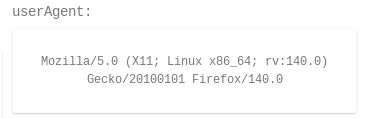
Tor Browser groups users into "buckets" All Tor users on Windows appear as Windows 10; all on "other OS" appear as Linux with X11. This shared identity provides strength in numbers.
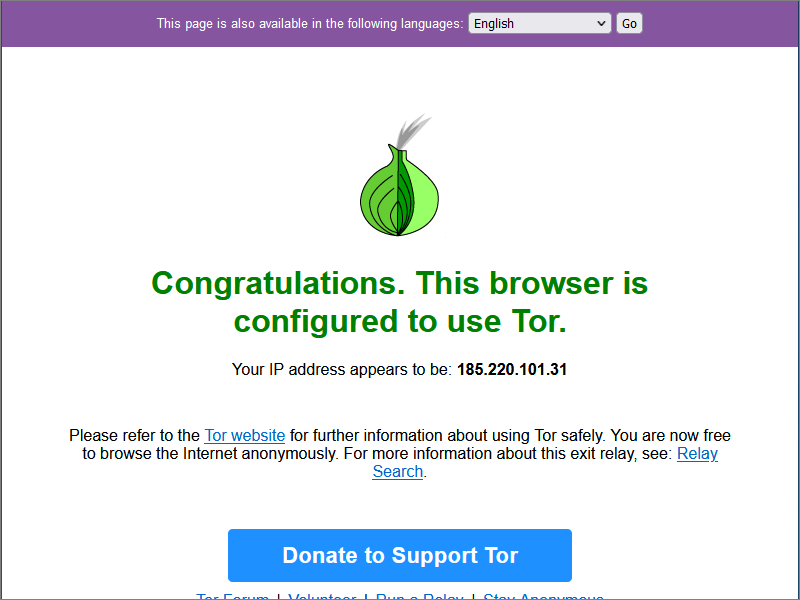
Tor hides the IP address Even if JavaScript sends fingerprinting data, the server doesn't know your real location or ISP.
Fingerprinting alone doesn't deanonymize without correlation Websites must have multiple observation points (like exit node + entry node access) to link your real identity.
Default Tor Browser settings actively resist fingerprinting Letterboxing, user-agent spoofing, and font limitation reduce the data available for fingerprinting. (The Tor Project replaced user-agent spoofing with bucketing)
JavaScript fingerprinting is a serious threat primarily to users who remain on the same circuit for extended periods or who have already been partially identified through other means.
Examples of sites using fingerprinting

LinkedIn is injecting JavaScript fingerprinting scripts into every page that probes visitors' browsers according to a report by Fairlinked e.V. and independently confirmed by BleepingComputer.
Here's a summary of what LinkedIn collects:
- CPU core count & CPU class
- Device memory
- Screen resolution
- Time zone
- Language settings
- Battery status
- Hardware and software fingerprints
- Storage capabilities
As noted earlier, these data points feed browser fingerprinting techniques that can strip anonymity and monitor users online activities. The Fairlinked analysis also says the information is sent to HUMAN Security, a US-Israel cybersecurity company.
LinkedIn isn't the first high-profile service to employ aggressive client-side fingerprinting. In 2021, researchers discovered that eBay used JavaScript to conduct automated port scans on visitors' machines to spot remote-access tools. The same scanning script later appeared on websites run by Citibank, TD Bank, and Equifax.
JavaScript OPSEC Mistakes
FBI Zero-Day Exploit (2013-2016)

What happened:
The FBI deployed JavaScript-based zero-day exploits targeting Tor Browser users suspected of accessing darknet child-exploitation forums.
How:
The attack embedded JavaScript code in websites that triggered a use-after-free vulnerability in Firefox's SVG parser. When a Tor user visited the site, the JavaScript executed a Return-Oriented Programming (ROP) chain to escape the browser sandbox and leak the user's real IP address.
Outcome:
The user's real IP address was exposed, bypassing Tor's anonymity. The exploit was more reliable because Firefox lacked the memory-partitioning protections found in Chrome.
NoScript Header Bypass (September 2018)

What happened:
Security researchers disclosed a critical bypass in Tor Browser's NoScript extension at the "Safest" security level.
How:
The vulnerability exploited improper HTTP Content-Type header parsing: attackers sent Content-Type: text/html;/json to trick NoScript into reading the content as JSON (which cannot execute scripts), while the browser rendered it as HTML and executed all JavaScript.
Outcome:
JavaScript was re-enabled despite users believing it was completely blocked, exposing them to fingerprinting and IP leaks via WebRTC.
The solution: Internet segmentation
VM segregation means running Tor Browser inside an isolated virtual machine (VM) that is completely separated from your host operating system. This solves JavaScript fingerprinting threats through complete isolation, not by preventing JavaScript from running.
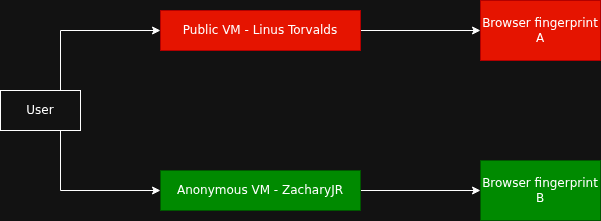
Why isolation matters: If a website compromises your browser through a JavaScript exploit, VM segregation ensures the attacker cannot access your real operating system, your files, or your actual hardware characteristics. This is the critical difference.
Using live-mode adds another layer of security, if your browser were to get compromised and compromises your system with the malicious browser, a restart would revert all changes made by the exploit. This makes any exploit that compromises your browser useless. To learn more about internet segmentation and how to implement it, read this article.
If a user segments their internet usage properly as demonstrated here, their identities can't be linked.
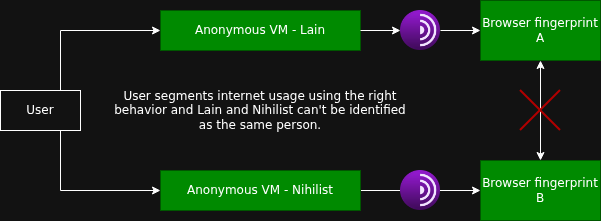
However, if the user fails to properly segment their internet usage, the identities will be linked.
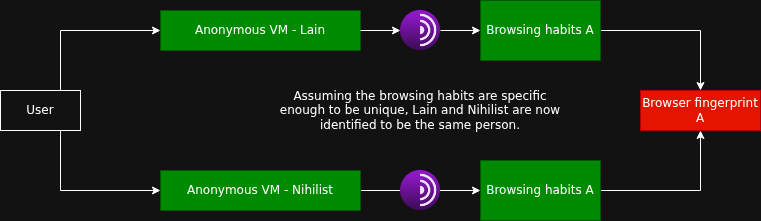
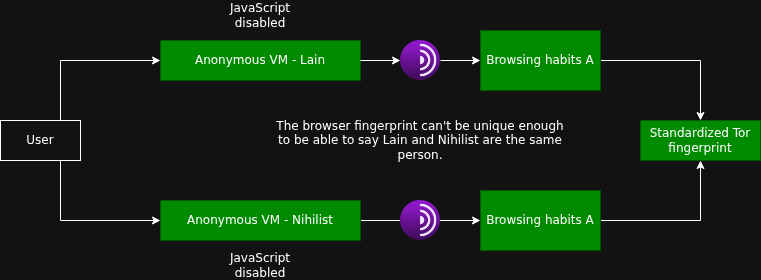
Completely disabling JavaScript would make it hard to collect 5-10 attributes. The fingerprint would be unidentifiable.
Why meddling with Tor Browser settings undermine your anonymity
On dread there are guides on /d/opsec for hardening your Tor Browser, any OPSEC noob would jump from joy upon finding these guides thinking they are improving their OPSEC by improving browser security. Without thinking, they use dread being a darknet website and the post having upvotes and awards as credibility to affirm their decision, the appeal is intuitive. (Also most of these settings are already applied on the default Tor Browser)
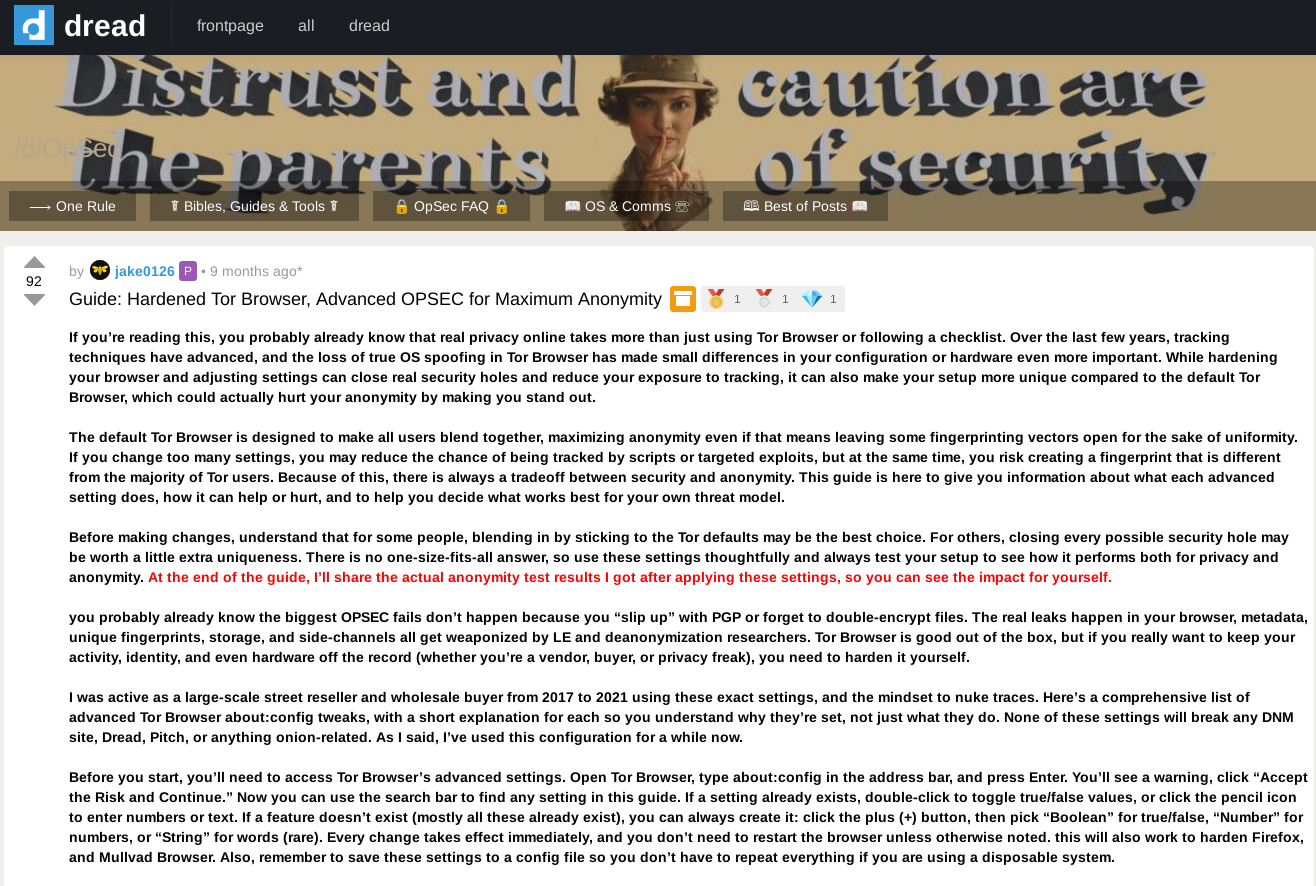
dread's /d/opsec community is lax and barely does any research than pull Arkenfox's Firefox hardening scripts. Anyone can infiltrate forums to anonymously and maliciously recommend people to weaken their operational security for free, while also derailing legit OPSEC advice threads by arguing with their own alt accounts and bosting their own reputation points.
The same dread post:
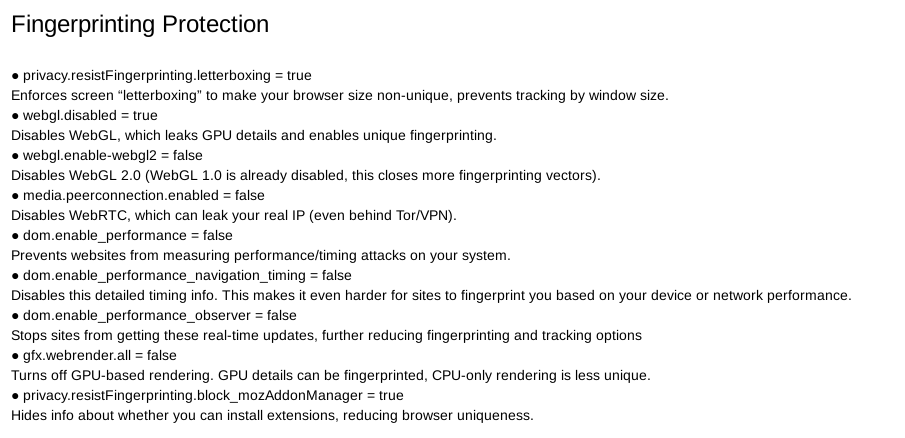
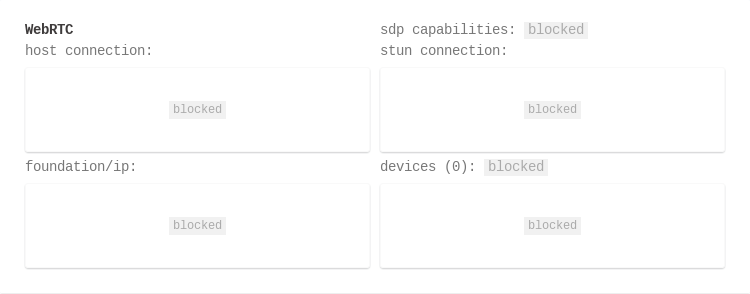
Even if it's a 9-month-old blog, you're expected to be well versed in the topic you're going to present as a guide for maximum anonymity. This blog post was written by a malicious user to mislead other users into making their browser fingerprint more unique, to harm their anonymity. If the blog post was based on research and not copied from a Firefox hardening scripts, you would know WebRTC is fully removed from The Tor Browser 13 years ago.
You find optimization forums recommending you disable
javascript.enabled, lowernetwork.http.max-connections, tweakprivacy.resistFingerprinting, or adjust timeouts.You assume you're improving security.
In reality, you're doing the opposite.
These recommendations are almost always wrong for Tor Browser because they fundamentally misunderstand how it works. They assume randomization helps (it doesn't, standardization does), treat Tor Browser like vanilla Firefox (it's not), and ignore the crowd anonymity model that is Tor's entire point. If you want granular control over settings, that's a sign you should use hardened vanilla Firefox instead. Tor is designed for users who accept its defaults in exchange for anonymity.
Being unusual isn't being safer.
The Tor Project sets javascript.enabled = true by default because it disables JavaScript through NoScript instead, a more reliable approach. If you manually change it to false in about:config, you're not becoming more private; you're becoming more distinctive. Fingerprinting systems detect this unusual configuration choice, and you become identifiable. The same applies to lowering connection limits, adjusting scroll behavior, or modifying any other setting below the default. You're still making a choice nobody else makes. (Stick with Tor Browser's security level)
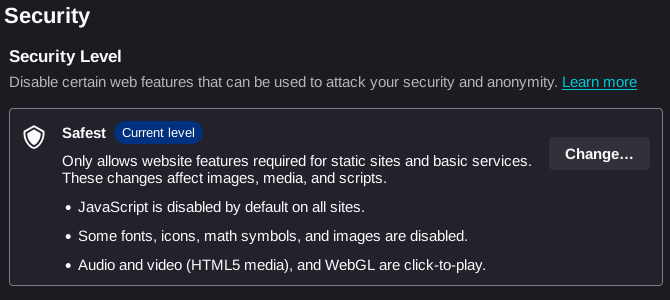
Lowering settings doesn't increase anonymity, it decreases it. The moment you make an unusual configuration choice, you become distinguishable from the crowd. You lose Tor's core protection: being one of millions of identical users.
Debunking dread's /d/opsec hardening guide
To debunk this malicious advice, I will utilize CreepJS to illustrate the alterations in browser fingerprints and the corresponding changes in fingerprint IDs before and after hardening. This is the default FP ID before applying the guide's skidded about:config. (This "default FP ID" was run on a significantly modified VM, your fingerprint ID will be different.)

To check if the FP ID remains unchanged, I span up a separate Whonix VM to check if there were any changes to the FP ID. The result is the same, this means that the fingerprint ID is bound to what hardware your VM can read and interpret. (other factors may also affect it)
If the guide actually optimizes The Tor Browser, the FP ID should remain unchanged, which is due to The Tor Browser's standardization mentioned above. (Even if you harden it without changing your FP ID, it's pointless, the website fails to account for everything a real tracking company would to create a unique fingerprint.)

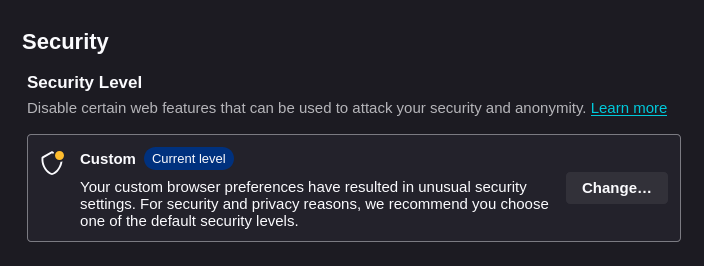
However, upon applying the about:config optimizations, my FP ID was modified, which means the guide has compromised The Tor Browser's core protection: being one of millions of identical users.

The FP ID is modified even without applying the "extreme hardening".
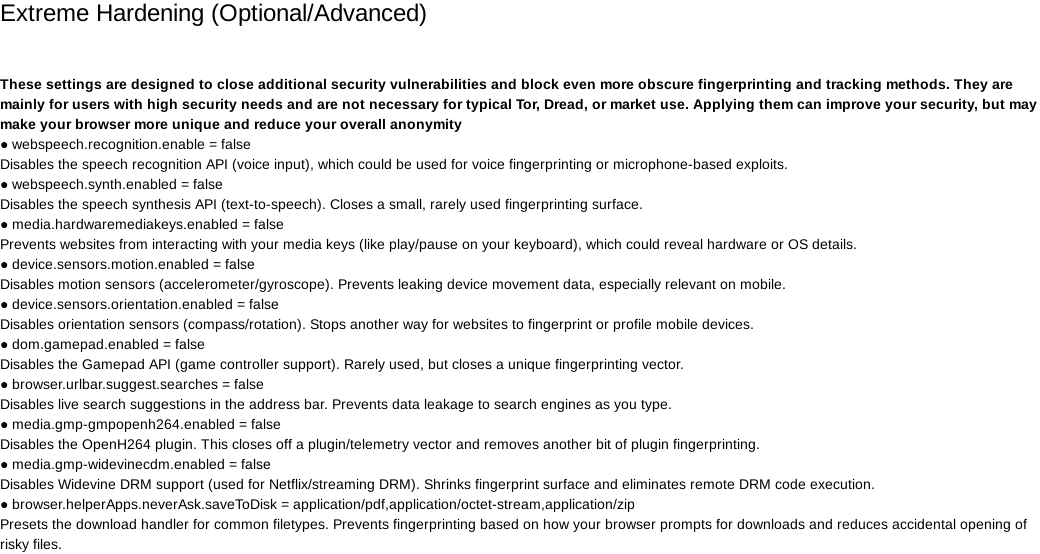
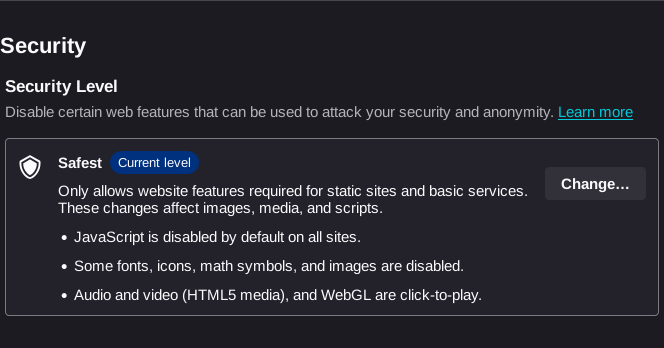
Completely disabling JavaScript would make it hard to collect anything for a website primarily focused on collecting JavaScript data, when testing it with the safest security level on CreepJS, JavaScript can't run, which means this website cannot create a unique fingerprint for your browser.

Verifying The Tor Browser's standardization theory
After being presented contradictory information about fingerprint ID's and CreepJS being faulty on some tests, me and another user decided to check if hardware and The Tor Browser truly matter in fingerprinting using IPPure.
To perform this test, we told our last few characters of the fingerprint to each other to verify The Tor Browser's standardization.

According to the theory, this should be the default clean (unmodified) Whonix Tor Browser's fingerprint ID: 5925b167db4d0039e83de79b38ed475b
After that, we modified the default Tor Browser's about:config to truly verify that the standardization works.

The logic behind it was: if standardization truly works and hardware doesn't affect it, our fingerprints should be the same even if the Tor Browser's modified. (Changing the CSS colors to change our browser fingerprint.)

While we may not have enough contacts to verify if hardware truly does affect the fingerprints, we can conclude that meddling with The Tor Browser's standardized configs will mess up the default fingerprint ID every bucketed user gets assigned. In turn, making your browser fingerprint unique and identifiable.

The theory is sound and we both had the same fingerprint ID after modifying the default clean (unmodified) Whonix Tor Browser's about:config. In turn, making it an unclean (tampered) and unique browser fingerprint.
The modified fingerprint ID should be: 3d1c56802e97566ff5caf3e0e00f5db2 if you would like to verify it for yourself.
Thanks to the fingerprint tests we see that different hardware doesn't alter the fingerprint, meaning the VM obscures what hardware is being used, and given that the fingerprint is the same for 2 different users means that altering the browser config is bad for anonymity.
Conclusion
Now that you understand what JavaScript is, how it works and the capabilities of it. Keeping your Host-OS clean, and using live-mode VM's for browsing removes all persistent malware attached to The Tor Browser from zero-days (assuming Tor Browser was clean to begin with).
JavaScript is no longer the boogeyman it was framed to be, practicing proper OPSEC with good internet segmentation, makes using JavaScript harmless.
 Suggest changes
 Lain
Lain
 2026-04-04
 Donate XMR to the author:
4AGtz56WqJdXYt8qhkDbHRNaSTdu2nKuEGwDVzxeWPodQj1cVH2EQkk4fi9uAu8os1fazSUBDsqeFBqoEzAFuay3Fwd9BjJ